



System Overview
General Overview Screen
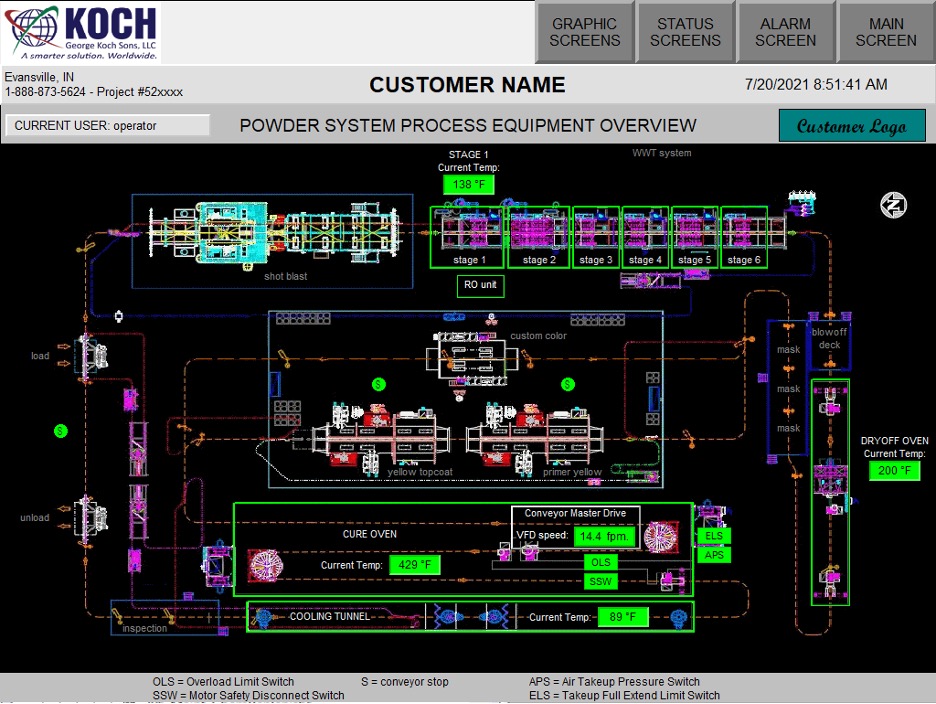
A general overview screen of the system shows a high-level status of each component of the system. Individual components may be accessed from this screen to drill down for more in-depth detail.
Auxiliary Equipment Graphic Screen
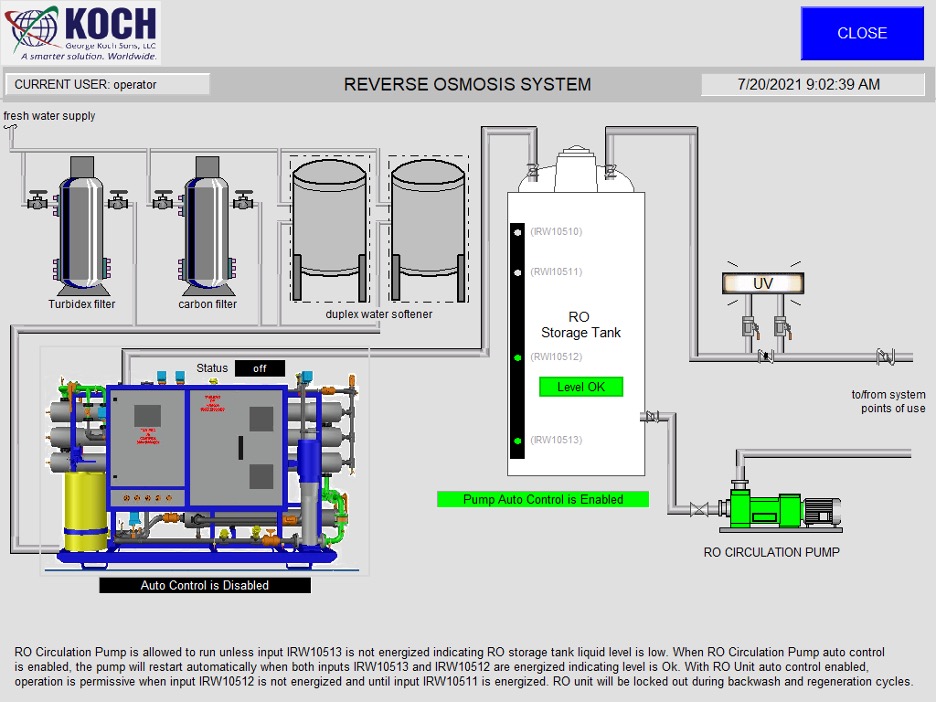
Example of auxiliary equipment graphic screen. Information is displayed as available.
Washer Status Screen
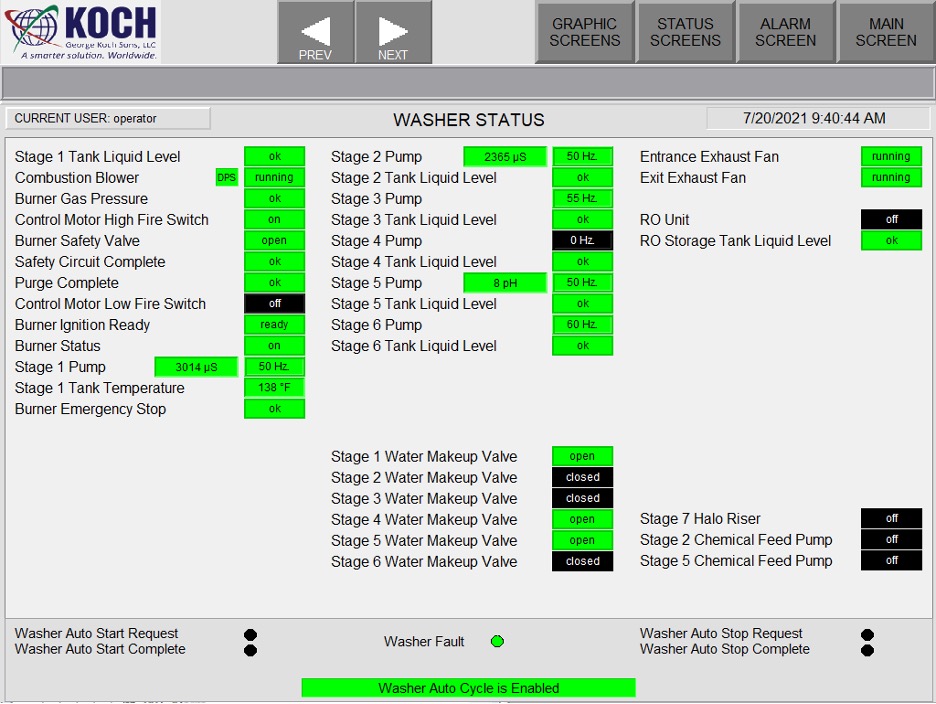
Typical washer status screen. This provides an overview of the entire washer system rather than just one component of the washer.
VFD Setup/Control Screen
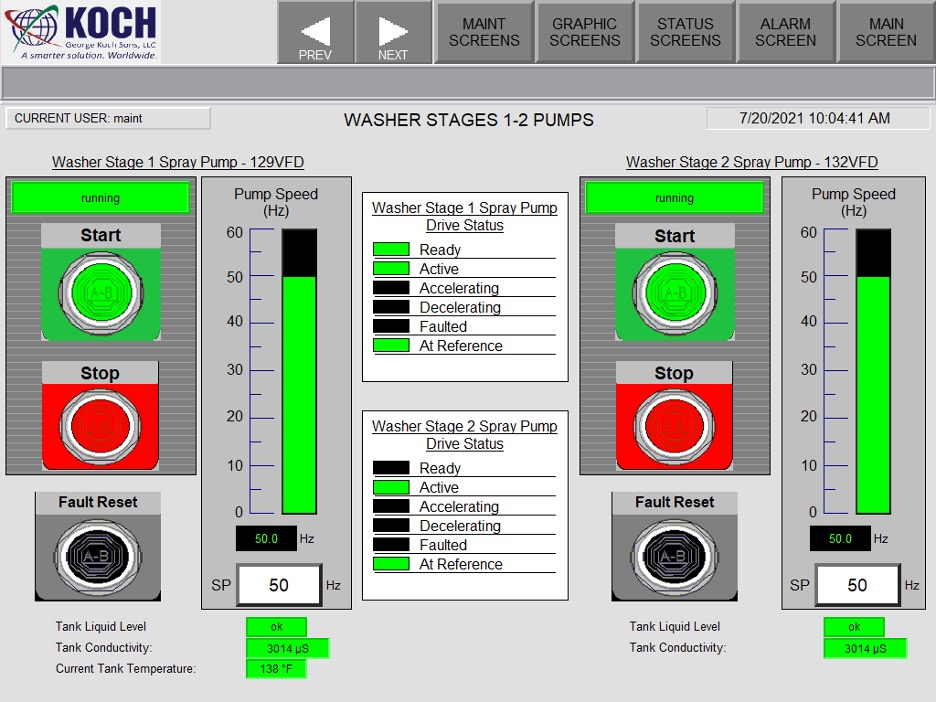
Typical VFD setup/control screen under the maintenance screen login.
Cooling Tunnel Setup Screen
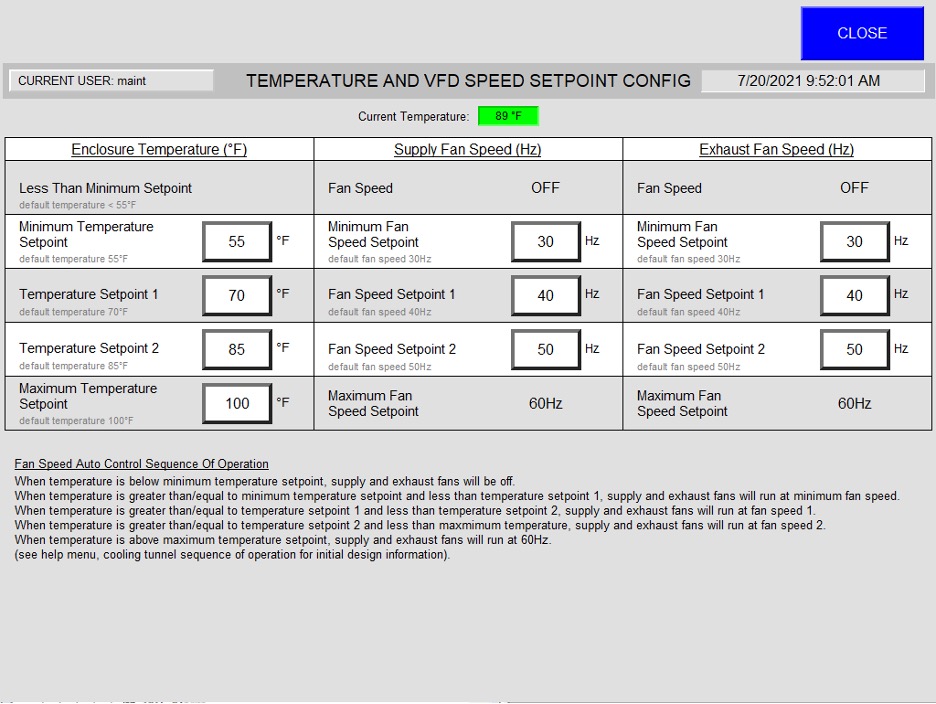
Typical cooling tunnel setup screen under the maintenance screen login. This screen is designed to control fan speed based on supply air temperature.
Monorail Conveyor Setup/Control Screen
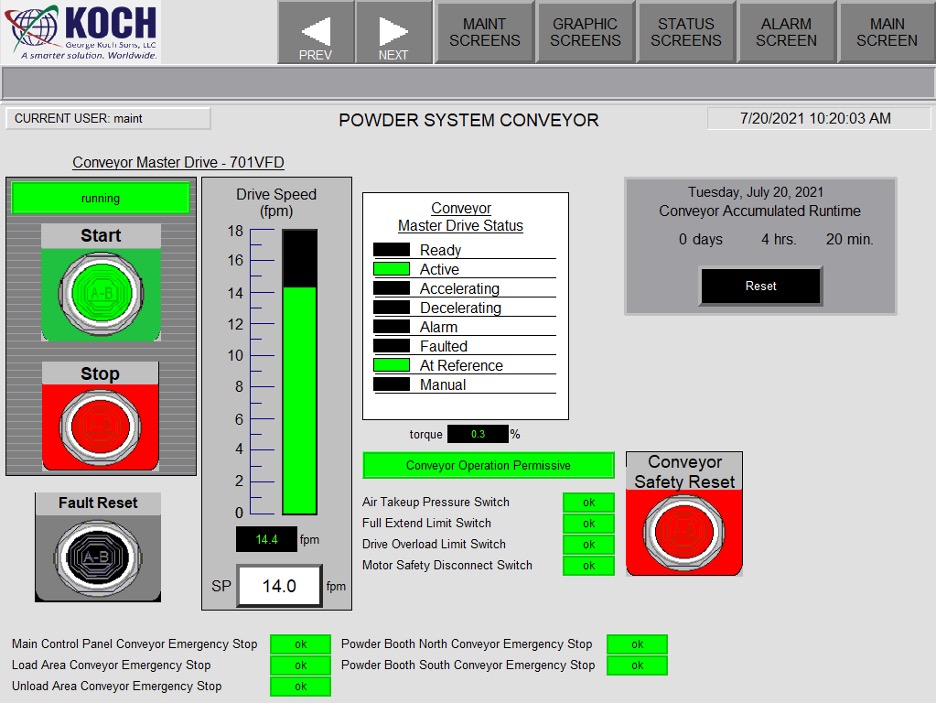
Typical monorail conveyor setup/control screen under the maintenance screen login. Line speed, conveyor run time, and resets can be accessed from this screen.
Burner Temperature Control Under Maintenance Screen
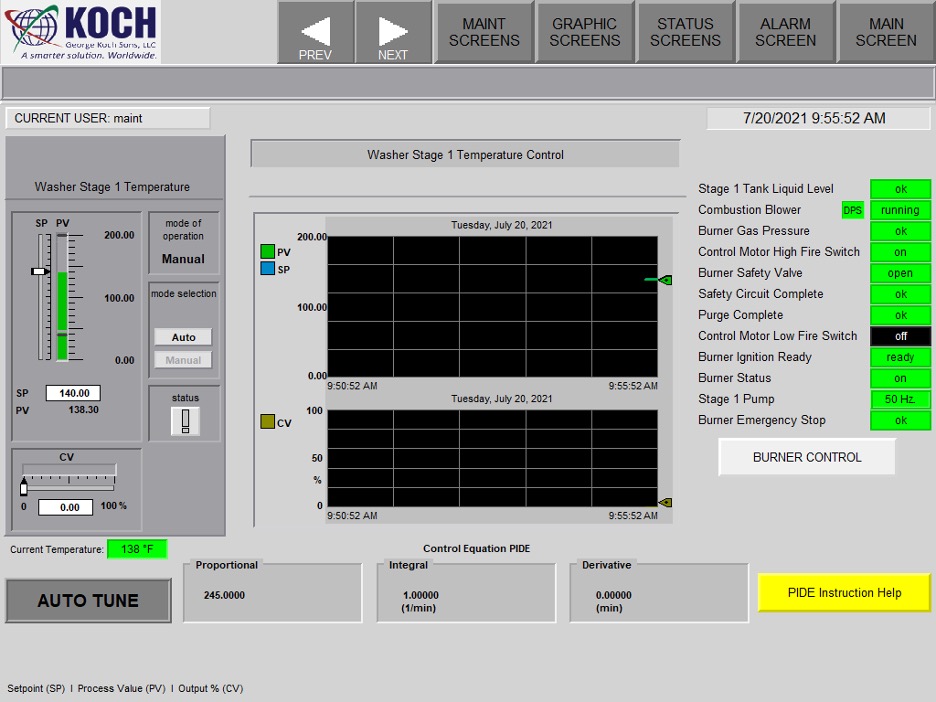
Typical burner temperature control screen under the maintenance screen login. All burners are PID control from the PLC. Safety circuit status, temperature setpoint, and PID parameters can be accessed from here.
Burner Temperature Control Under Maintenance Screen
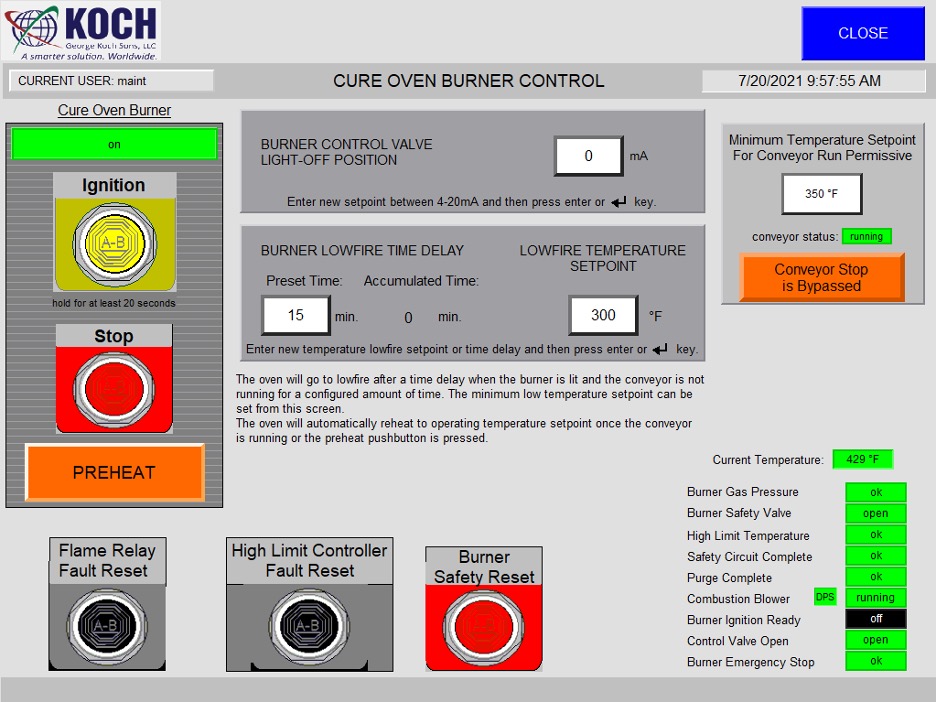
Typical burner control screen under the maintenance screen login. Parameters can be adjusted to aid in burner operation and safety faults can be reset from this screen.
Help Screen
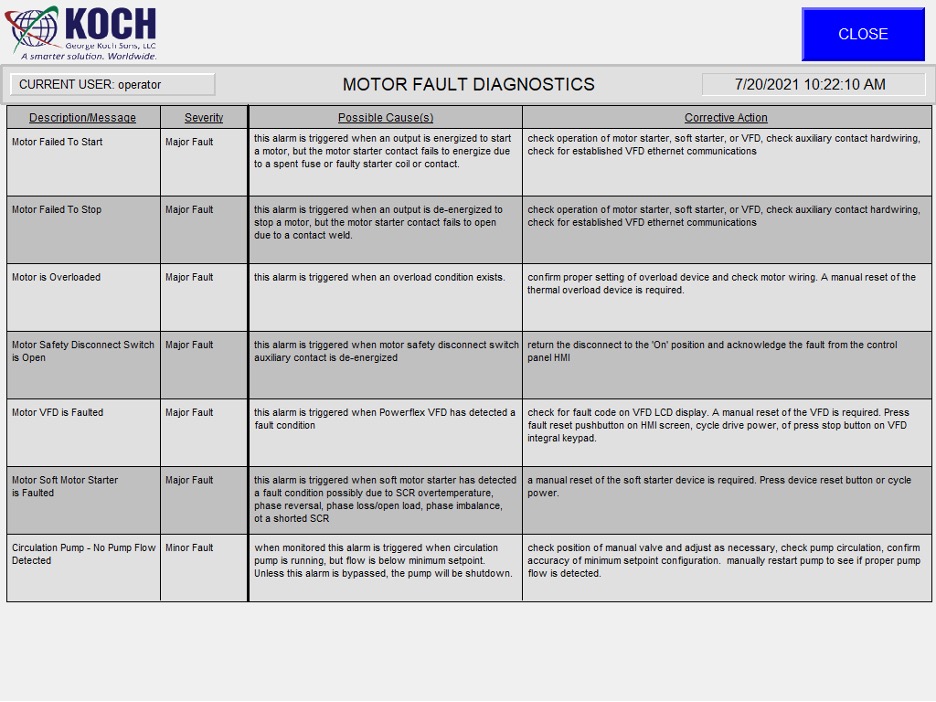
Typical help screen.
Network Configuration Help Screen
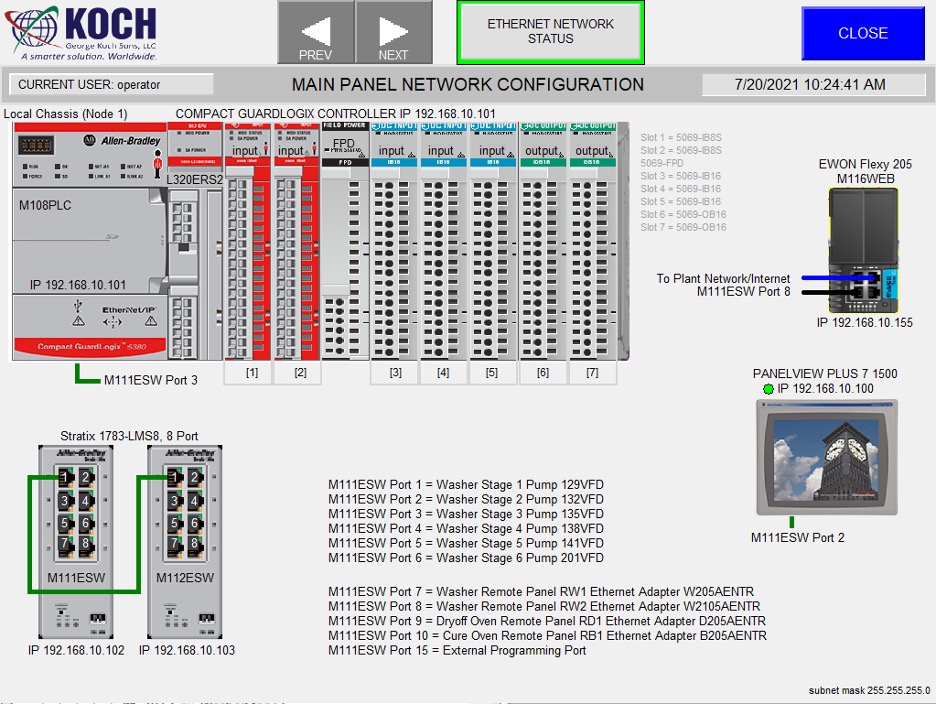
Typical network configuration help screen. Touching any module on the screen will open a screen to show module diagnostics.
